


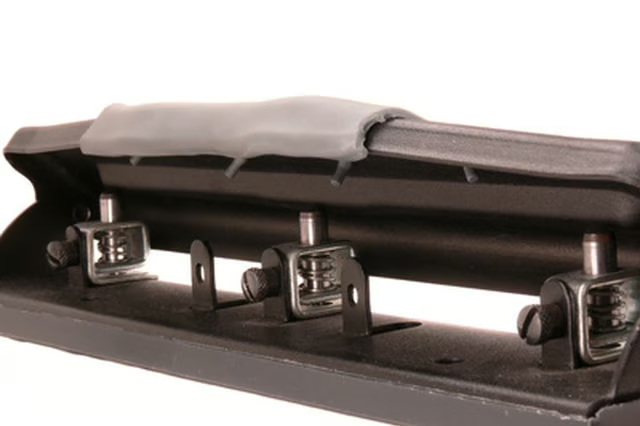
A three-hole punch provides a quick and reliable way to prepare papers filed in a binder. You can punch multiple sheets at a time and the holes punch the same location consistently. Most three-hole punches adjust, so your papers fit correctly into the binder. You can loosen the punchers and slide them along the metal edge, which is often ruled to help you get the results you want.
Things You Will Need
Three-hole punch
Binder
Scrap paper
Test the settings. Your three-hole punch may not need to be adjusted to fit your binder if the rings have standard spacing. To check, punch holes in a piece of scrap paper. If the paper fits into your binder, you don't have to do anything further. If the spacing is awkward, take note which holes need to be adjusted.
Adjust one hole at a time by turning the screw left. Slide the hole in the direction it should be, so the paper fits more easily into the binder. Punch another piece of scrap paper and test it in the binder to see if you're satisfied with the new location. If you are, tighten the screw by turning it to the right so the hole remains in the new position.
Line up the other holes and adjust, as needed, until your three-hole punch is configured to fit your binder settings.
Tip
Always align the bottom edge of the paper along the bottom of the three-hole punch so the holes fall in the same location every time.
