
- Google Ads for Franchises: Stop Cannibalization and Fix Tracking
- Before you build: establish governance rules in writing
- Step 1: Choose the right account structure for google ads for franchises
- Step 2: Eliminate cannibalization with territory-based geo targeting
- Step 3: Fix conversion tracking before you optimize for conversions
- Step 4: Set campaign-level budgets and location-specific targets
- Run this audit before you start
Google Ads for Franchises: Stop Cannibalization and Fix Tracking
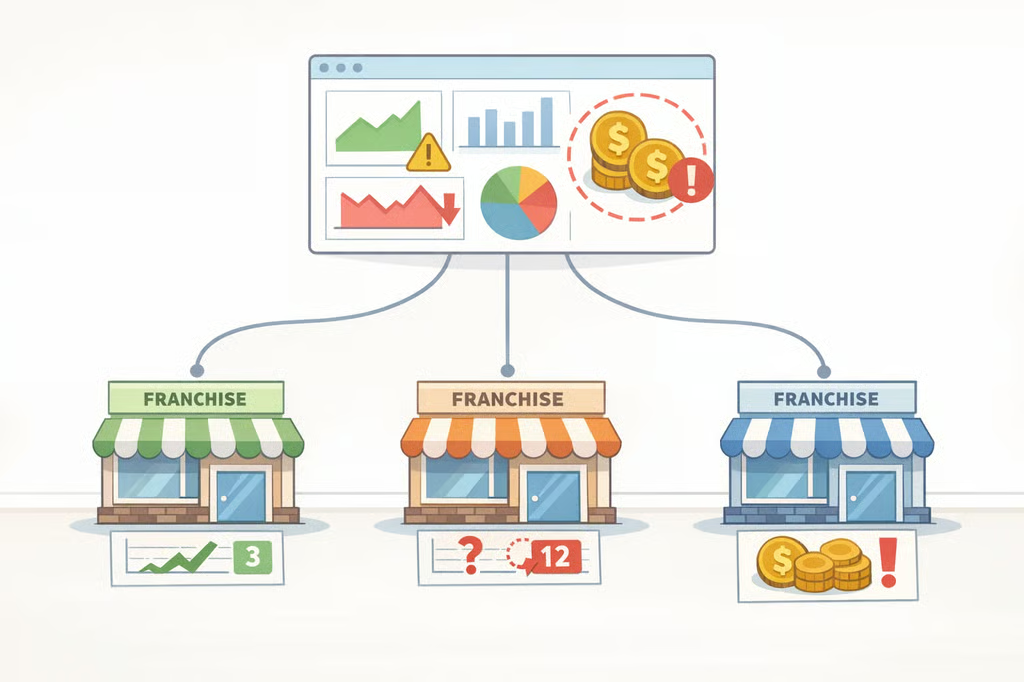
Before the first step, know whether you need this guide. A franchise Google Ads account in structural trouble tends to show the same warning signs: reporting requires manual cleanup every month, locations compete for budget without clear rules, conversion numbers don't match what your CRM shows, and performance varies wildly by market with no obvious explanation. If two or more of those are true, this is the right starting point.
The numbers make the problem concrete. One multi-location firm running google ads for franchises reported a cost per conversion under $80, with a Google optimization score above 90%. When those conversions were checked against CRM intake records, fewer than half corresponded to real inquiries. The true cost per qualified lead was closer to $175, as groas documented in a six-location law firm case study published last month. The platform looked healthy. The business was bleeding.
The recurring failure point in franchise PPC is rarely the ads themselves. As groas's multi-location guide puts it, multi-location Google Ads is "a structural and operational challenge, not just a bidding problem." Franchise digital marketing "fails most often at the governance layer, not the channel layer" a point made independently by The Marketing Juice and worth keeping in front of you throughout this process.
This guide covers four decisions in order: who controls what (governance), how territory is assigned (cannibalization prevention), what counts as a conversion (measurement), and how budget is allocated across locations. Bid optimization, ad copy testing, and Performance Max strategy only work once these foundations are in place.
Prerequisites: You need Google Ads account access, either a Manager (MCC) account or individual location accounts, plus a Google Business Profile for each location and some form of lead intake system, even a basic spreadsheet. If your CRM or offline tracking isn't clean yet, the fallback path is covered in Step 3.
Before you build: establish governance rules in writing
This is not a step you execute inside Google Ads. It is the decision that makes every subsequent step either hold or collapse. Without documented governance, franchisees start bidding on brand terms independently, territory rules get ignored in practice, and conversion definitions drift across locations until network-level reporting means nothing.
The effective model, supported independently by The Marketing Juice and Ad Manager, is central control of structure with local flexibility in execution:
- Franchisor controls: Account architecture, campaign structure, brand keyword strategy, conversion definitions, negative keyword lists, geo targeting rules, naming conventions
- Franchisee controls: Local ad copy and extensions, locally funded spend but only within documented parameters
The specific split matters less than documenting it formally. As The Marketing Juice puts it directly: "what matters is agreeing the split formally, not leaving it to ad hoc negotiation." Informal arrangements produce exactly the cannibalization and tracking failures described in the steps below.
Keep a running account structure changelog. Every time campaign architecture changes a new location, a territory redraw, a conversion definition update document it. When something breaks six months later, the changelog is what makes diagnosis possible without starting from scratch, per Ad Manager.
Step 1: Choose the right account structure for google ads for franchises
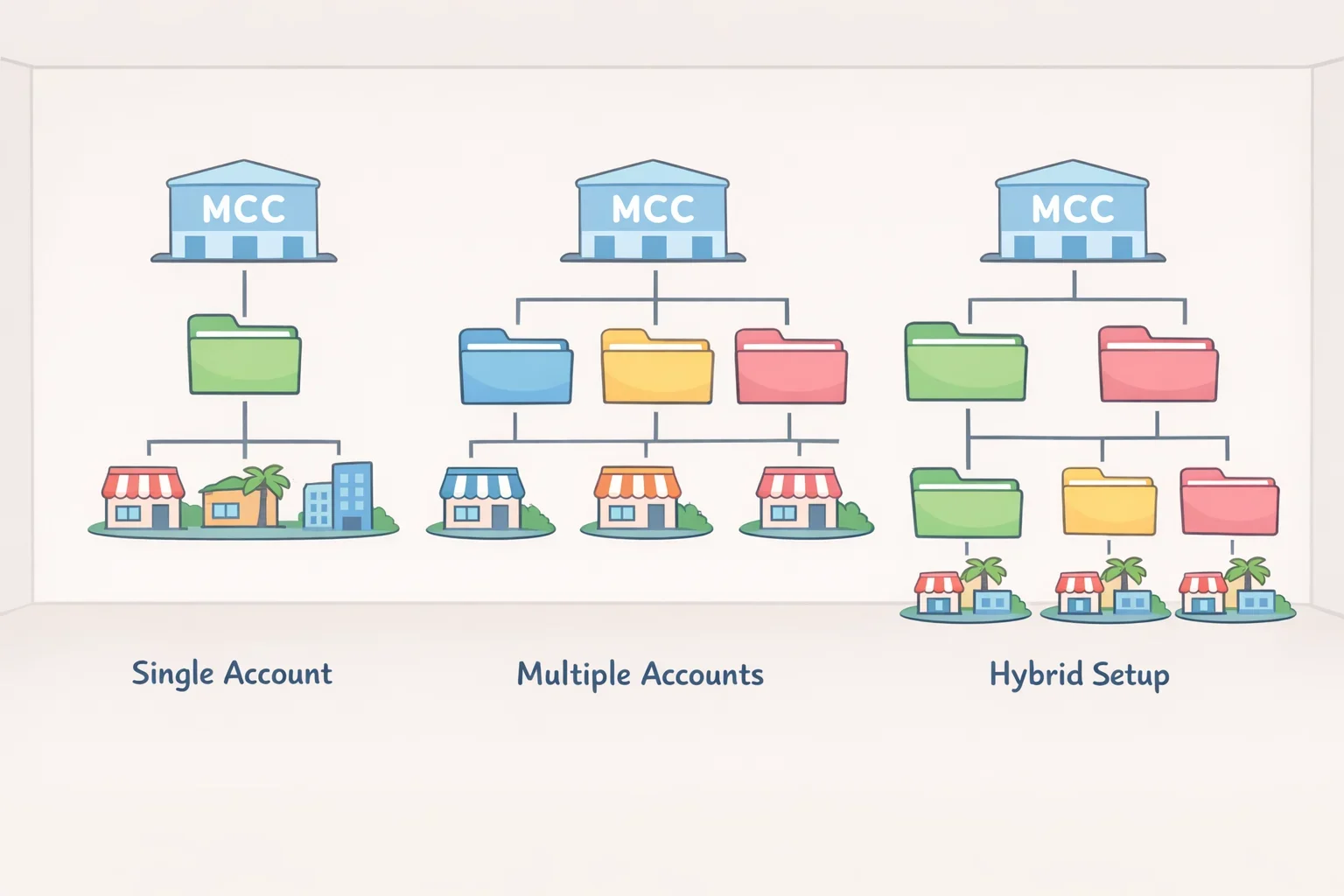
The first structural decision is whether you need one account with location-based campaigns, multiple accounts under a Manager (MCC) account, or a hybrid. Every other decision budget control, reporting, access permissions, geo settings flows from this one.
Single account with campaigns per location works best for 5–30 locations, according to groas's multi-location guide. Each location gets its own campaign with a dedicated budget, geo targeting, and ad groups what groas calls "the gold standard for control" at that scale. You get location-level budget allocation, independent bidding strategies, and clean reporting. Fewer than 10 locations in similar markets can sometimes share a campaign with location-specific ad groups, but you lose direct budget control per location when you do.
Multi-account structure under an MCC creates cleaner separation for billing, access controls, geo settings, and local customization. Many franchise advertisers end up here, as Ad Manager notes, because it simplifies central oversight while preserving local account separation for franchisees who have co-op funding or independent reporting requirements.
Regardless of model, apply a single naming convention everywhere. Accounts, campaigns, ad groups, conversion actions, and UTM parameters should follow the same logic across every location. Inconsistent naming is the most common cause of reporting friction when roll-up dashboards require manual reformatting each month, that's a naming problem in disguise. Ad Manager recommends campaign naming that mirrors the account structure so filters, labels, and segmentation work without manual cleanup.
Build the same campaign type logic into every location from the start:
- Brand campaigns by location (centrally controlled see Step 2)
- Non-brand service campaigns by location or territory
- Remarketing campaigns separated from core search
- Call-focused campaigns where phone leads dominate
The specific list matters less than consistency. As Ad Manager puts it: "every location follows the same logic unless there is a documented exception."
Step 2: Eliminate cannibalization with territory-based geo targeting
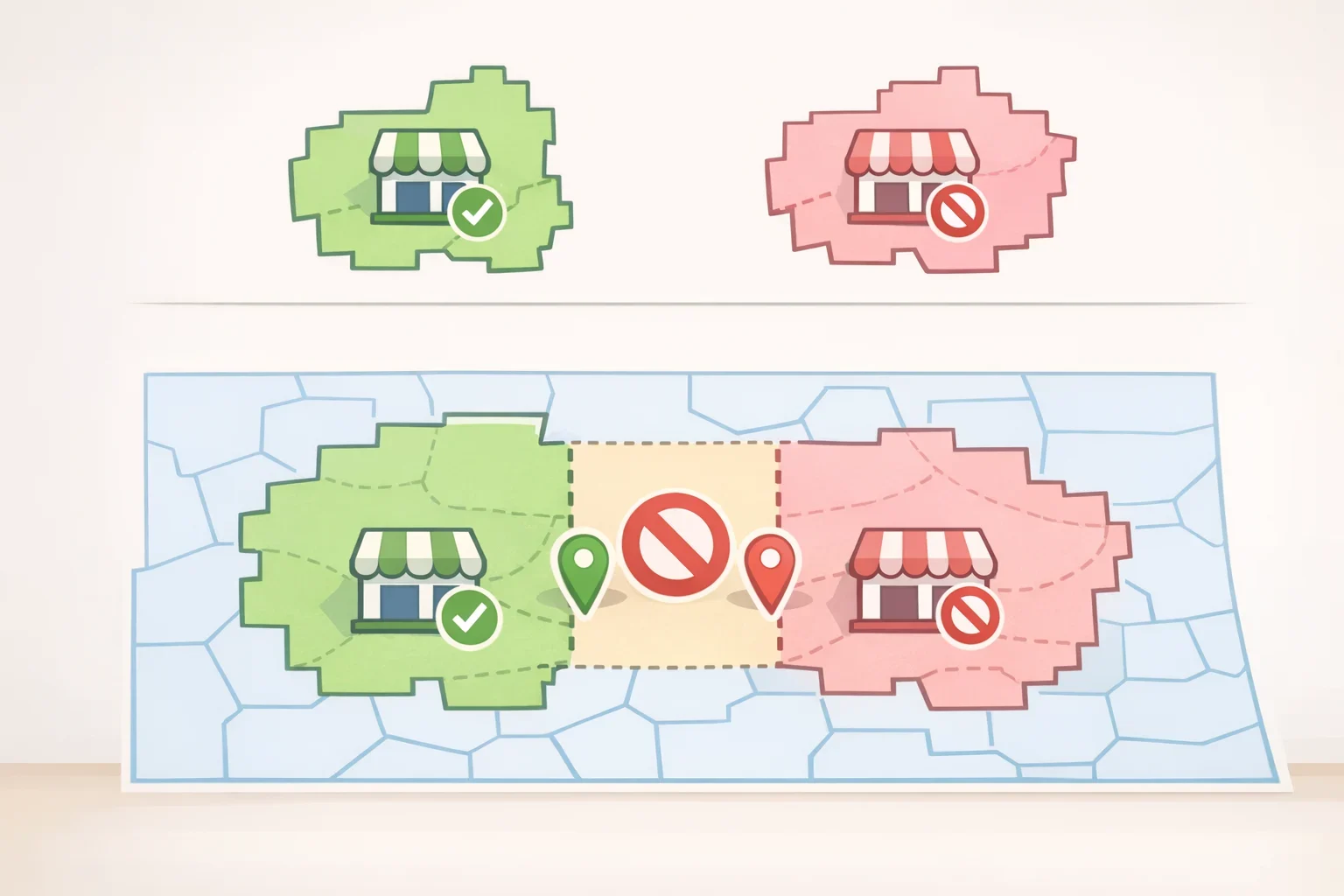
Cannibalization is the franchise-specific PPC problem that wastes the most budget and is most frequently misdiagnosed. It happens when multiple locations or locations and corporate bid on the same high-intent keywords in overlapping territories. The result is what Savage Global Marketing described earlier this year as "artificial auction inflation": your own marketing dollars drive up CPCs for your own network.
The scale of the problem in real accounts can be significant. In a 28-location case studied by groas, seven pairs of adjacent locations had overlapping geo targeting. In three metro markets, as many as four franchise locations were targeting the same zip codes with the same non-branded keywords. Meanwhile, 22 of the 28 locations were bidding on the brand name with no geographic restriction, while the national account ran a nationwide Performance Max campaign simultaneously. After consolidating all accounts under a single MCC, rebuilding targeting around exclusive zip code clusters, and replacing 20 fragmented Performance Max campaigns with one consolidated campaign using location-specific asset groups, duplicate impressions across overlapping territories dropped significantly, with improved cost per lead visible within the first few weeks.
How to fix it:
- Replace radius targeting with exclusive zip code lists. Radius targeting bleeds into neighboring territories, especially in dense metros. Map your franchise agreement territories into zip code clusters and assign each location its own exclusive list. Then add neighboring territory zip codes as location exclusions in each account. Savage Global Marketing recommends this explicitly; groas confirms it as the fix in the case above.
- Switch Google's default location targeting setting. Google defaults to "Presence or interest," meaning your Austin campaign can show ads to someone in Chicago who once searched for Austin content. Change every campaign to "Presence: People in or regularly in your targeted locations." Without this change, your budget allocation data is unreliable and geo relevance is meaningless, per groas's multi-location guide.
- Centralize brand keyword ownership at the network level. Franchisees should not bid on brand terms independently both The Marketing Juice and Savage Global Marketing are unambiguous on this point. Corporate manages branded and high-intent terms and routes resulting leads by territory through a CRM. Both sources recommend a "bifurcated" model: corporate handles top-of-funnel and branded search; franchisees handle bottom-of-funnel, localized service keywords.
- Build a shared negative keyword list at the MCC level. Cover terms unrelated to specific territories or services. If one unit specializes in residential work and a neighboring unit handles commercial, each should list the other's core service terms as negatives. Savage Global Marketing notes this also routes leads to the most qualified unit at the lowest cost.
- Run the Auction Insights report across accounts. If accounts under your own brand appear with a high Overlap Rate or Outranking Share, you have active cannibalization. This diagnostic requires no third-party tools and takes minutes.
PMax warning: Performance Max compounds cannibalization because you cannot see which search terms triggered ads or exclude placements with precision. In the 28-location case, one national PMax plus 19 local PMax campaigns were all competing simultaneously the fix was one consolidated campaign with location-specific asset groups. Automated bidding like Target CPA can worsen the overlap too: the algorithm will aggressively chase conversions in high-activity zip codes regardless of whether another unit is targeting the same territory. Apply strict location constraints and negative keyword controls before enabling automated bidding, as Savage Global Marketing warns.
Step 3: Fix conversion tracking before you optimize for conversions

Most franchise advertisers skip this step. That's why accounts can look healthy while underperforming. If conversion events aren't tied to qualified outcomes, every bid strategy and budget decision is optimizing toward the wrong thing.
The problem takes two forms. The first is phantom conversions: counting calls, form fills, and page visits that never become real leads. The law firm account cited above was counting all calls over 60 seconds as conversions, including misdirected calls from people searching for DIY legal templates, paralegal job postings, and unrelated queries clicks costing $15–$40 each, per groas. When cross-referenced against CRM records, fewer than half the reported calls were genuine new inquiries. A 90%+ optimization score told Google everything was fine.
The second form is missing attribution: no connection between the ad click and what actually happened downstream. In the 28-location franchise case, none of the accounts were importing offline data on which leads became customers before a standardized system was deployed, per groas. Google's bidding algorithms were optimizing toward phone calls, not revenue.
What to set up:
- Audit every active conversion action and remove activity-based events. For franchise paid search, raw calls, form fills, and page views should not be your primary optimization signal unless they're verified against qualified outcomes. Remove any conversion action that counts activity rather than intent before touching bid strategies.
- Assign unique call tracking numbers per location and per campaign. The attribution chain should flow: ad click → location-specific landing page → location-identified conversion event → CRM record. Without location-tagged tracking, you cannot compare performance across locations or produce reliable roll-up reporting, as Ad Manager notes.
- Import offline conversion data once CRM is ready. Feed closed-deal data back into Google's bidding algorithms via offline conversion imports. This is what allows Smart Bidding to optimize toward actual revenue rather than phone volume. If your CRM or intake tracking isn't clean yet, use a dedicated tracking number per campaign with a minimum call duration threshold of at least 90 seconds, and manually audit a sample each month against real intake outcomes. Not perfect attribution, but meaningfully better than counting every 60-second call.
- Pass location data through every conversion using UTM parameters or hidden form fields. Every form submission should carry the source campaign and location identifier into your CRM. This makes location-level ROAS calculations possible and closes the attribution loop.
- Standardize conversion definitions across all locations. One location counting form fills and another counting only booked appointments makes network-level reporting meaningless. Define what counts as a conversion centrally and enforce it across every account.
Learning phase: After rebuilding conversion tracking, expect 2–3 weeks of volatility. Reported conversion volume will drop initially because stricter definitions filter out the phantom leads that were inflating numbers. Make no structural changes during this period. The groas law firm case held to no structural changes for three full weeks after launch let the algorithm relearn before interpreting results.
Step 4: Set campaign-level budgets and location-specific targets
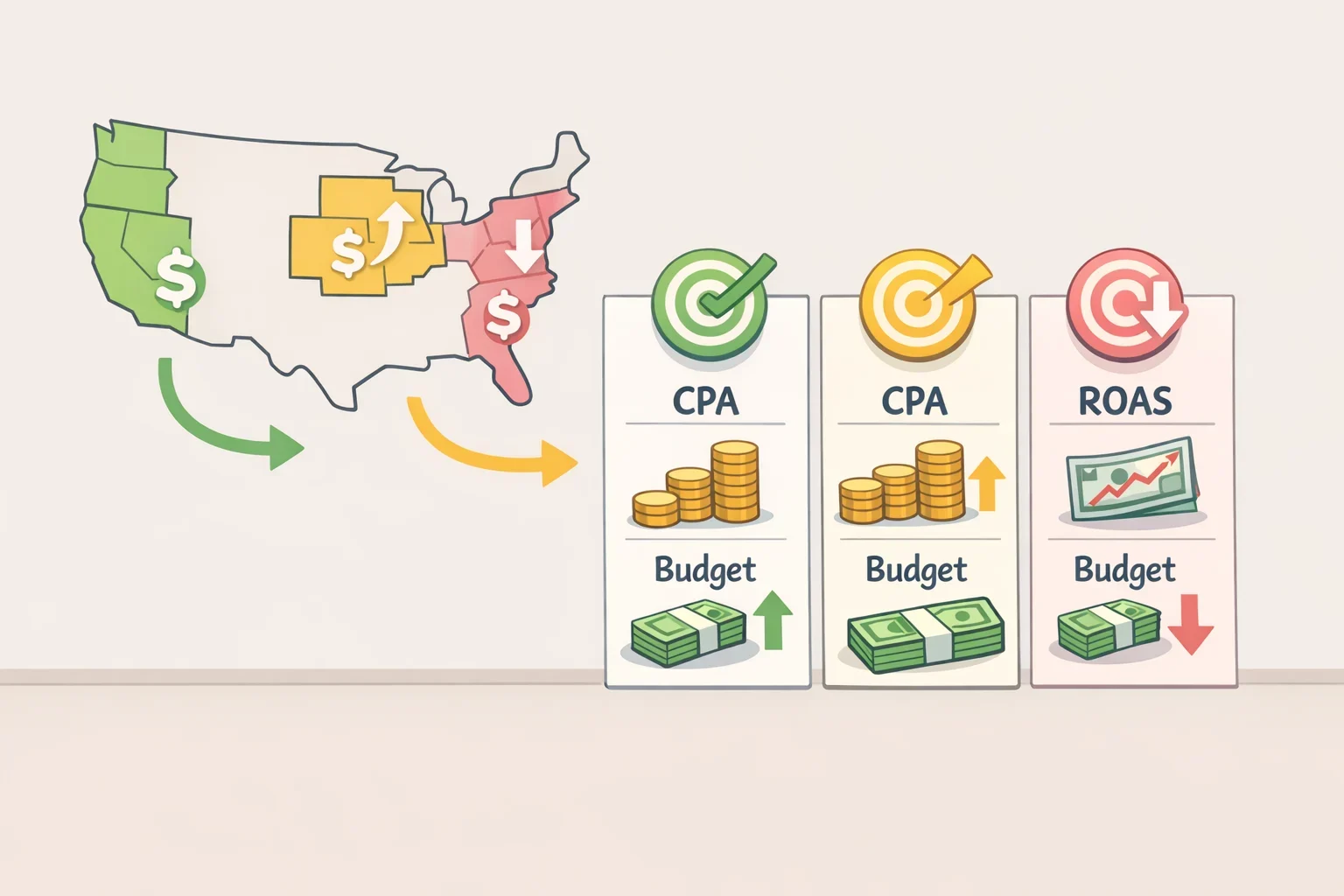
With structure, territory controls, and tracking in place, budget allocation is the final foundation layer. The default approach equal budgets per location, or a shared budget Google controls reliably produces the wrong outcome.
Three budget rules to apply:
- Avoid shared budgets. Shared budgets let Google route spend toward whichever location generates the cheapest clicks, not the most profitable conversions. High-competition markets with expensive but high-value leads get underserved; easy markets with lower conversion value absorb disproportionate spend. Groas calls shared budgets "almost always a mistake" in multi-location setups. Use campaign-level budgets for every location.
- Set location-specific CPA or ROAS targets based on actual unit economics. A suburban location with low overhead might be profitable at a 1.5x ROAS; a downtown location in a competitive metro might need 3x to break even. Applying a single network-wide target causes you to overbid in unprofitable markets and underbid in high-potential ones. As groas puts it: "location-level targets are not optional they are the foundation of profitable multi-location PPC strategy."
- Allocate budgets proportionally, not equally, and revisit quarterly. Score each location using revenue potential, local conversion rate, and competitive intensity. A location generating twice the revenue of another should not automatically get twice the ad budget, but revenue potential is the right starting input. Revisit allocations quarterly and adjust for seasonal demand patterns by market, per groas.
Run this audit before you start
The four steps above describe the same sequence that a well-performing multi-location Google Ads account follows. The accounts that fix these foundations see measurable results. The law firm case from groas doubled qualified case volume and reduced cost per verified lead by more than 40% within 14 weeks by fixing structure and measurement, not by improving ads.
Use this checklist to identify where things stand right now:
- [ ] Do multiple locations target overlapping zip codes or radii?
- [ ] Are franchisees bidding on brand terms independently?
- [ ] Do your conversion actions count activity rather than qualified outcomes?
- [ ] Are conversion definitions consistent across all location accounts?
- [ ] Are you using shared budgets across locations?
- [ ] Does your reporting require manual cleanup to roll up by location?
Two or more boxes checked means structural triage comes before any bid or copy work. Start with governance rules, then territory architecture, then measurement, then budget policy. Once those are solid, choose one fix to implement first territory exclusions if cannibalization is active, conversion tracking if the CRM data is unreliable and don't touch ad creative until the data behind it is trustworthy. As Ad Manager puts it, when an account starts to feel difficult to manage, that's usually a sign to simplify first, not add more layers.
